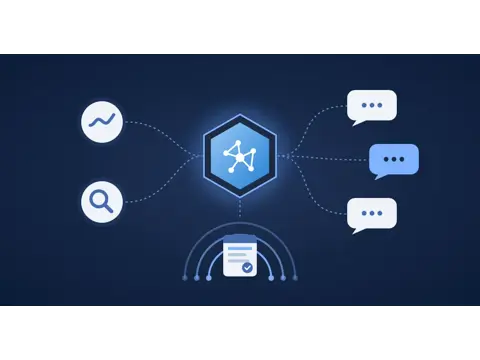

Most questions on your website have known answers: When will my order arrive? Which payment methods do you accept? What are the dimensions? The answers are already in your documents, but visitors don't want to dig through pages to find them. APIKodu's AI Assistant is built for exactly that. It is a chat window on your site that answers visitors using only the documents you upload. This guide walks you through setup, how to prepare your content, and where the assistant's limits are.
What the AI Assistant does
The AI Assistant is a chat window that answers your visitors around the clock. It doesn't draw on general web knowledge; it uses the content in your knowledge base. So its answers reflect your products, your policies and your price list.
- It replies in the visitor's language. Whatever language the visitor writes in, the assistant answers in it.
- It doesn't make things up. If a topic isn't in the knowledge base, it says so and, when needed, points the visitor to your contact details.
- It stays on topic. It politely declines off-topic requests such as small talk or writing code.
It's a concrete example of the model described in our AaaS (Agent as a Service) guide: no servers, no model hosting. You configure the agent with your own information and pay for what you use.
Setup in three steps
1. Create the assistant
Sign in to the APIKodu dashboard with your free account and create a new assistant from the AI Assistant page. You'll choose a model tier (Fast, Balanced or Expert), which sets the balance between speed, quality and credits used per answer.
2. Upload your documents
The knowledge base takes up to 20 files, each up to 20 MB. Supported formats:
- pdf, doc, docx
- txt, md
- csv, json
Uploading files also uses credits based on file size; the catalog page shows the current rules.
3. Add one line to your site
The dashboard gives you the assistant's public key. Add this line to your site's HTML:
<script src="https://api.apikodu.com/erse-assistant.js" data-agent-key="ers_pub_XXXXXXXXXXXX"></script>The key above is a placeholder; use your own assistant's public key. On most website builders, this goes into the theme or "custom code" area.
4. Test and refine
Before going live, test the assistant with the questions your visitors actually ask. Pull the most common ones from your e-mails, call notes or social media messages and ask them one by one. If an answer is incomplete or vague, the fix is usually in the document: write the information more clearly, update the file and try again. Asking a few questions in different languages also shows you how it replies in the visitor's language.
Prepare your documents for better answers
However good the assistant is, its source is your content. A few simple habits make a real difference:
- Keep it current. When prices, delivery times or return terms change, update the file. An old file means an old answer.
- One topic, one source. If the same fact appears differently in two files, both the assistant and your visitors get confused.
- Use Q&A format. Writing FAQs as short question-and-answer pairs makes the right information easier to find.
- Include contact details. List your contact channels so the assistant can point visitors to you when it doesn't know something.
- Leave out anything private. The knowledge base is used to answer visitors, so upload only content you're happy for them to see.
Where it fits
The AI Assistant suits recurring questions whose answers you already have in writing:
- Product features, sizes and compatibility
- Delivery, returns and payment terms
- Service scope, opening hours and application steps
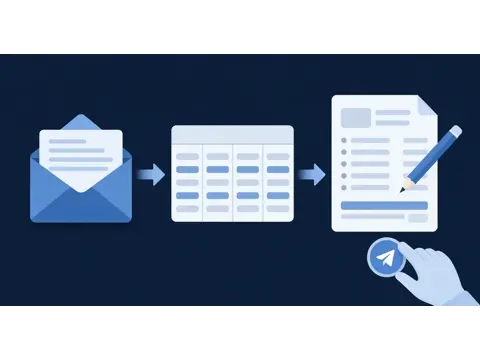
Knowing its limits matters too. It doesn't look up order status, book appointments or take actions in your systems; it answers from your documents. If you want to turn customer requests into quotes, there's a separate agent for that: the Quotation Agent.
FAQ
Does the assistant pull information from the web?
No. It answers visitor questions using only the documents you upload.
Which languages does it support?
It replies in the language the visitor writes in. Keep an eye on the language of your documents, since the knowledge base is what the answers are built on.
Which model tier should I pick?
Fast can be enough for short, direct questions, Balanced trades off speed and quality, and Expert may do better on complex, detailed questions. Each tier uses a different amount of credits per message, so test with your own questions before you decide.
What happens when my credits run out?
There's no overage charge; requests are declined until the next period or a plan upgrade. See the plans on the Pricing page.
I have more questions.
Check our FAQ or contact us.