
AI agents are no longer projects that only large companies build with their own teams. More and more providers offer agents that do a specific job as a ready-made service. That model is called AaaS (Agent as a Service). In this guide we explain what AaaS means, how it differs from SaaS and traditional chatbots, where it helps, and how APIKodu's AI agents fit the model. We are also upfront about the limits, because realistic expectations are the first step to using agents well.
What is AaaS?
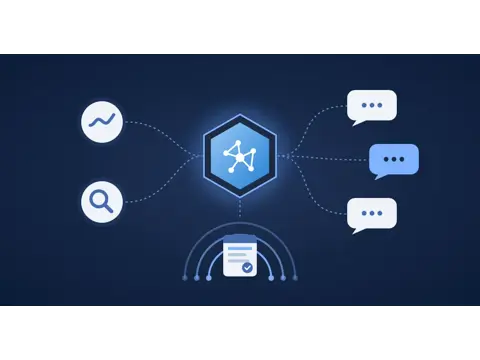
With AaaS you don't build an AI agent and run it on your own servers. You use it as a service on infrastructure the provider manages. You configure the agent with your own information, connect it to your website or workflow, and pay for what you use. Model choice, hosting and maintenance are the provider's job.
The industry uses the term in two senses:
- Infrastructure: agents run on managed infrastructure and are reached through an API or platform. Microsoft's Azure AI Agent Service and AWS Bedrock Agents are often cited here.
- Business: a finished agent that does one job, offered as a service. Think of an assistant that answers your site visitors, or an agent that turns incoming requests into draft quotes.
APIKodu sits closer to the second sense: ready-made agents focused on a clear task.
How it differs from SaaS and chatbots
With SaaS, you operate the software: you open screens, enter data and work through each step. With AaaS, the agent takes a defined part of the work, uses the information you gave it, and puts the result in front of you. It is the difference between running a tool and handing off a task.
Rule-based chatbots follow scripted flows. A document-grounded AI agent reads the content you upload and answers each question from it. Still, not everything labelled "agent" really is one. In a June 2025 release, Gartner called the rebranding of existing assistants and chatbots without real agentic capabilities "agent washing", and advised organisations to start where the value is clear. We prefer to describe our agents by exactly what they do.
How AaaS works on APIKodu
APIKodu currently offers two AI agents. Neither relies on general web knowledge; both work with the documents and data you upload. You'll find both in the AI Agent Catalog.
AI Assistant
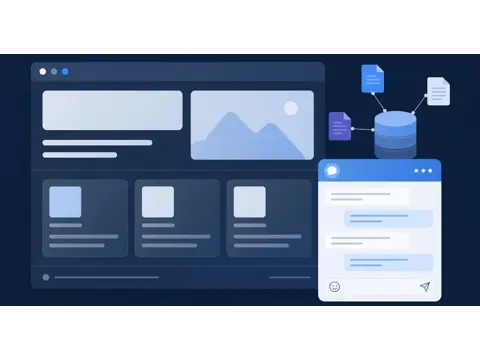
A chat window you add to your website with a single script tag. You upload documents such as product information, FAQs or price lists to its knowledge base, and it answers visitors using only that information, in whatever language the visitor writes in. If something isn't in the knowledge base, it says it doesn't know and, when needed, points the visitor to your contact details. Setup is covered in our website assistant guide.
Quotation Agent
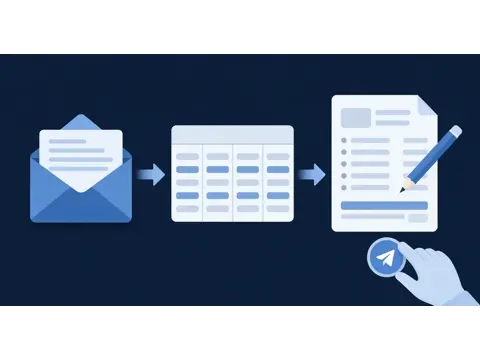
It reads the request your customer sent and drafts a quotation by extracting items, quantities and amounts according to your products, price list and quotation settings. You review and edit the draft, and you send it. It also works directly inside your e-mail through the Outlook add-in. More in our quotation guide.
What makes both of them AaaS:
- No servers to set up and no model to host; you create the agent in the dashboard.
- You configure it with your own documents or price list.
- You pick a model tier (Fast, Balanced or Expert) to balance speed and quality.
- You only spend credits as you use it. When your plan credits or the agent's monthly quota run out, there is no overage charge; requests are declined until the next period or a plan upgrade.
Where it helps and where it doesn't
AaaS pays off on well-defined, repetitive work. For APIKodu's agents, that work is clear:
- Visitors keep asking the same questions, and the answers already live in your documents.
- Turning incoming requests into quotes based on your price list takes too much time.
The limits are just as clear:
- The agents don't make decisions for you or take actions in your systems on their own. The Quotation Agent prepares a draft; sending it is your call.
- The AI Assistant knows only what you upload. If your documents are out of date, so are the answers.
- It politely declines off-topic requests such as general chat or writing code. It is not a general-purpose chatbot.
If you are building your own agent, you can connect APIKodu's ready-made APIs to it as tools through our MCP server. That's the other side of AaaS: the agent is yours, the tools come as a service.
FAQ
Do I need to code to use it?
Not for the AI Assistant. Create the agent in the dashboard, upload your documents and paste one line into your site's HTML. For the Quotation Agent, the dashboard and the Outlook add-in are enough.
What happens to my data?
The agents use the information you upload to produce answers and drafts. See our Privacy Policy and KVKK Notice for details.
Ready-made agent or my own?
If the job is well defined and a ready-made agent covers it, AaaS gets you started fast: no setup, model or maintenance to worry about, just your own data. If your workflow is unique or spans several systems, building your own agent may fit better, and you can still use the ready-made APIs as tools through MCP. The two aren't mutually exclusive; many teams start with a ready-made agent for common tasks and build their own for what's specific to them.
How do I get started?
Create a free account, choose an agent in the AI Agent Catalog and try it with your own information. Questions? Get in touch.